#PowerJanta – Power BI August 2021 Feature Summary
#PowerJanta - Important and most relevant features from Power BI August 2021 Feature Summary as per Saurabha Joglekar, BI Consultant.
#PowerJanta – Power BI August 2021 Feature Summary
Here is my selection of noteworthy highlights from Microsoft Power BI August 2021 Feature Summary.
Reporting
- Customizing shape formatting
- A lot more options are now added for customizing shapes
DAX
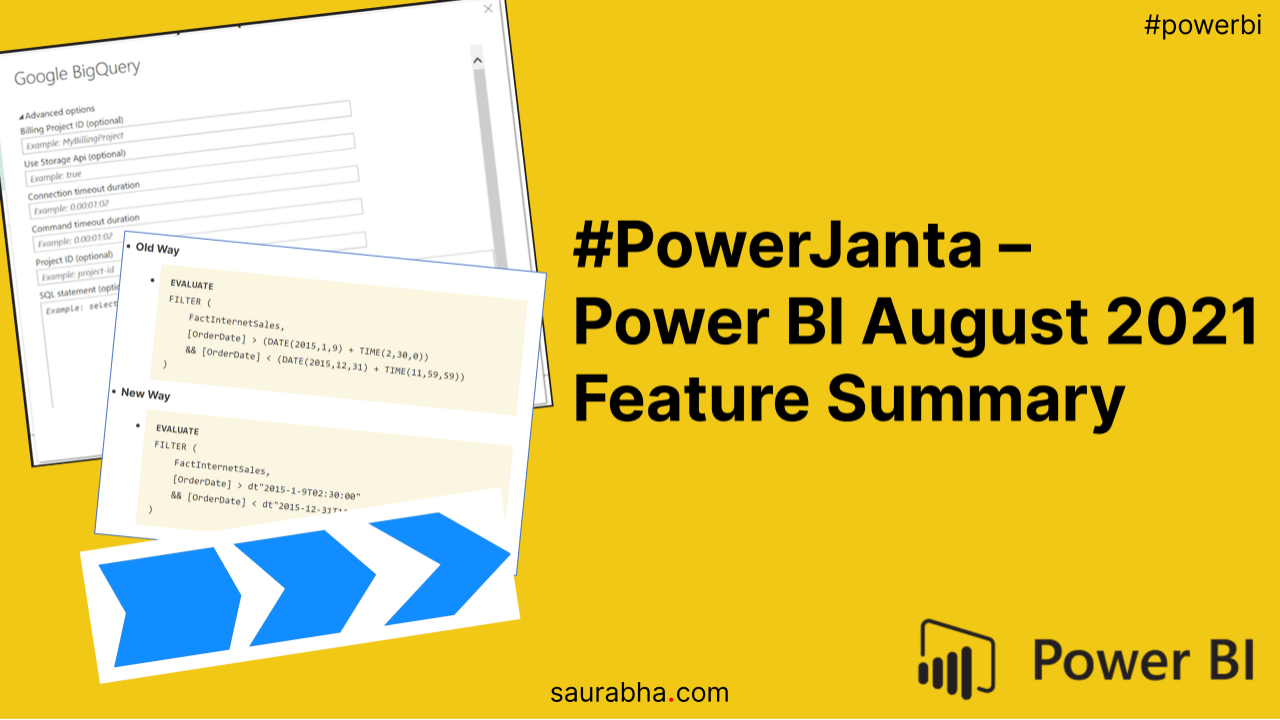
- New way of expressing Date and DateTime values
-
We now have DAX literals to reduce our code length. Check out the Old and New way below.
-
Old Way
-
EVALUATE
FILTER (
    FactInternetSales,
    [OrderDate] > (DATE(2015,1,9) + TIME(2,30,0))
    && [OrderDate] < (DATE(2015,12,31) + TIME(11,59,59))
)
-
-
New Way
-
EVALUATE
FILTER (
    FactInternetSales,
    [OrderDate] > dt"2015-1-9T02:30:00"
    && [OrderDate] < dt"2015-12-31T11:59:59"
)
-
-
Data Connectivity
- Google Big Query
- We now have Custom SQL Support. Two months back we saw a similar feature getting rolled out for Snowflake.

If you like this content or want me to stress on something, feel free to reach out to me at me@saurabha.com with your comments, suggestions and feedback.
Check out my previous post titled #PowerJanta – Power BI July 2021 Feature Summary. To know more about #PowerJanta, click here.
Image Credits: Microsoft’s Official Power BI August 2021 Feature Summary
Related Articles
#PowerJanta – Power BI May 2023 Feature Summary
#PowerJanta - Important and most relevant features from Power BI August 2021 Feature Summary as per Saurabha Joglekar, BI Consultant.
#PowerJanta – Power BI October 2021 Feature Summary
#PowerJanta - Important and most relevant features from Power BI October 2021 Feature Summary as per Saurabha Joglekar, BI Consultant.
#PowerJanta – Power BI June 2021 Feature Summary
#PowerJanta - Important and most relevant features from Power BI June 2021 Feature Summary as per Saurabha Joglekar, BI Consultant.
Enjoyed this article?
Get in touch, or explore more of my writing on Power BI, AI & data and automation.