#PowerJanta – Power BI December 2021 Feature Summary
#PowerJanta - Important and most relevant features from Power BI December 2021 Feature Summary as per Saurabha Joglekar, BI Consultant.
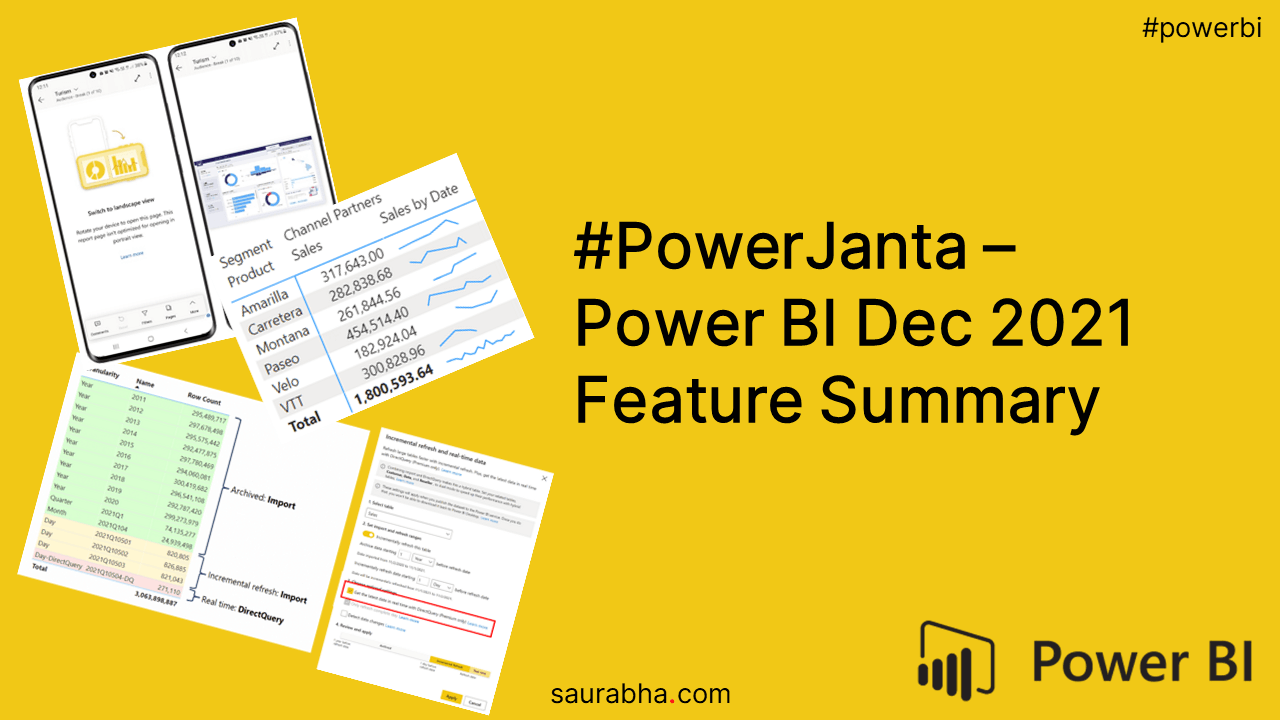
#PowerJanta – Power BI December 2021 Feature Summary
Here is my selection of noteworthy highlights from Microsoft Power BI December 2021 Feature Summary.
Reporting
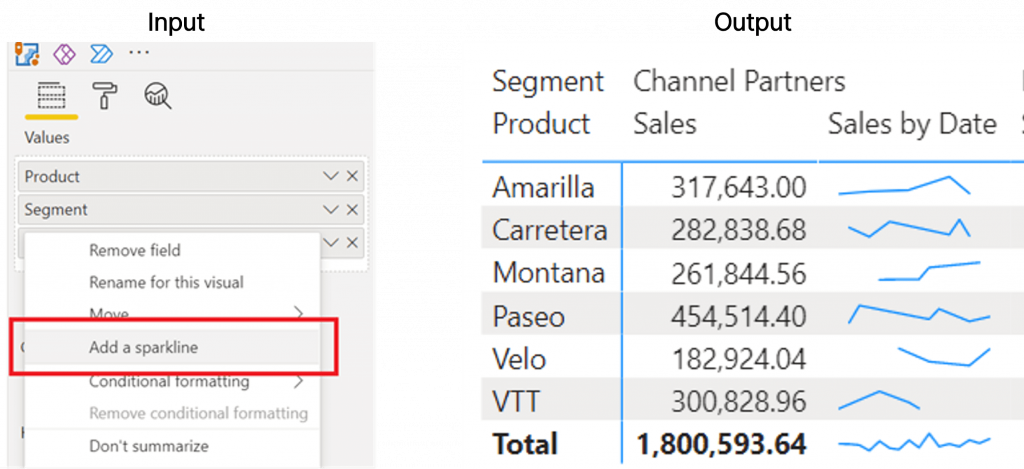
- Sparklines (Preview)
- Excel’s fun feature is here
- It is accessible when you right-click on the column name under Values
Service
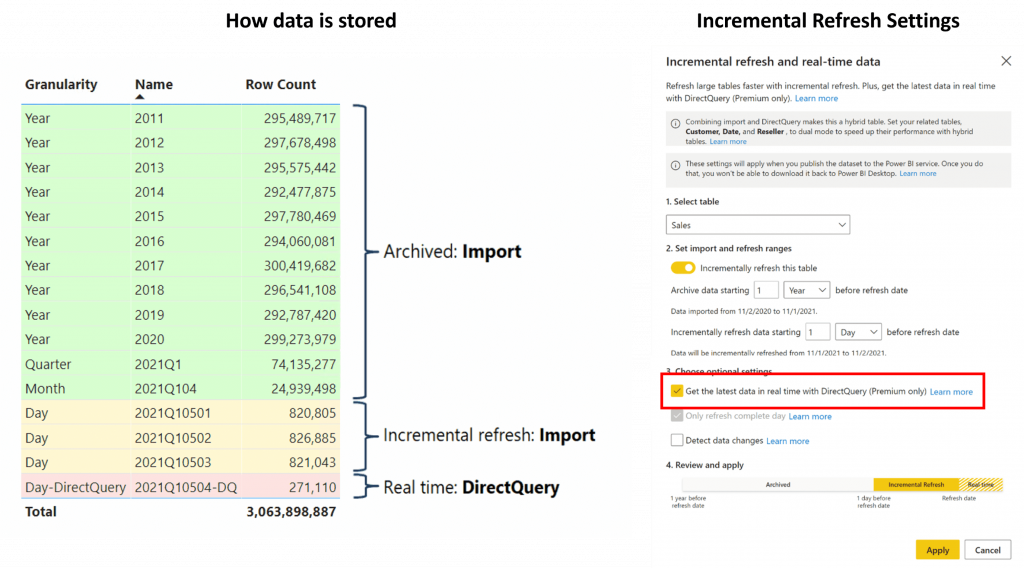
- Hybrid Tables (Preview)
- This is an interesting feature, you have a new setting under Incremental Refresh where you can pull new data via DirectQuery while having old data flowing in via import mode. Basically, a mix of Import and DirectQuery data.
- Note: This feature is for Premium only service.
Mobile
- Improved Viewing experience
- We now have normal landscape reports open directly in portrait mode without having to tilt the mobile.

If you like this content or want me to stress on something, feel free to reach out to me at me@saurabha.com with your comments, suggestions and feedback.
Check out my previous post titled #PowerJanta – Power BI November 2021 Feature Summary. To know more about #PowerJanta, click here.
Image Credits: Microsoft’s Official Power BI December 2021 Feature Summary
Related Articles
#PowerJanta – Power BI August 2023 Feature Summary
Restarting the old #PowerJanta series where I noted down key features that I liked the most. Here is my selection of noteworthy highlights from Microsoft P
#PowerJanta – Power BI July 2023 Feature Summary
Restarting the old #PowerJanta series where I noted down key features that I liked the most. Here is my selection of noteworthy highlights from Microsoft P
#PowerJanta – Power BI June 2023 Feature Summary
#PowerJanta - Important and most relevant features from Power BI June 2023 Feature Summary as per Saurabha Joglekar, BI Consultant.
Enjoyed this article?
Get in touch, or explore more of my writing on Power BI, AI & data and automation.